
How do I send a fax online?
Upload the document, enter the fax number, check the price and send – with mcpfax right on mcpfax.de (even without an account), in an AI chat with Claude or by email to faxnumber@fax.mcpfax.de. From €1.00 for the first page and €0.20 per additional page, no subscription.
Step by step
-
1 Step 1
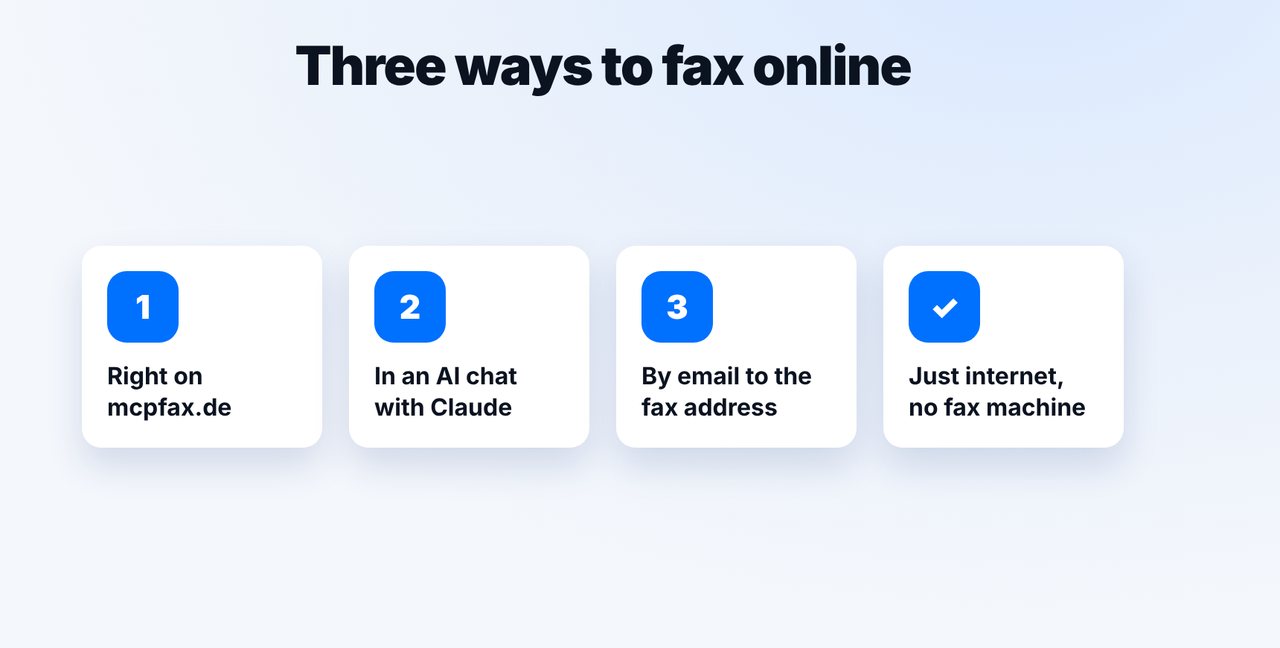
Choose your method
Right on mcpfax.de (“Send a fax in 3 steps”, even without an account), in an AI chat (Claude with the mcpfax connector) or by email-to-fax from your email program. All methods use the same account and balance.
-
2 Step 2
In the chat: document and number
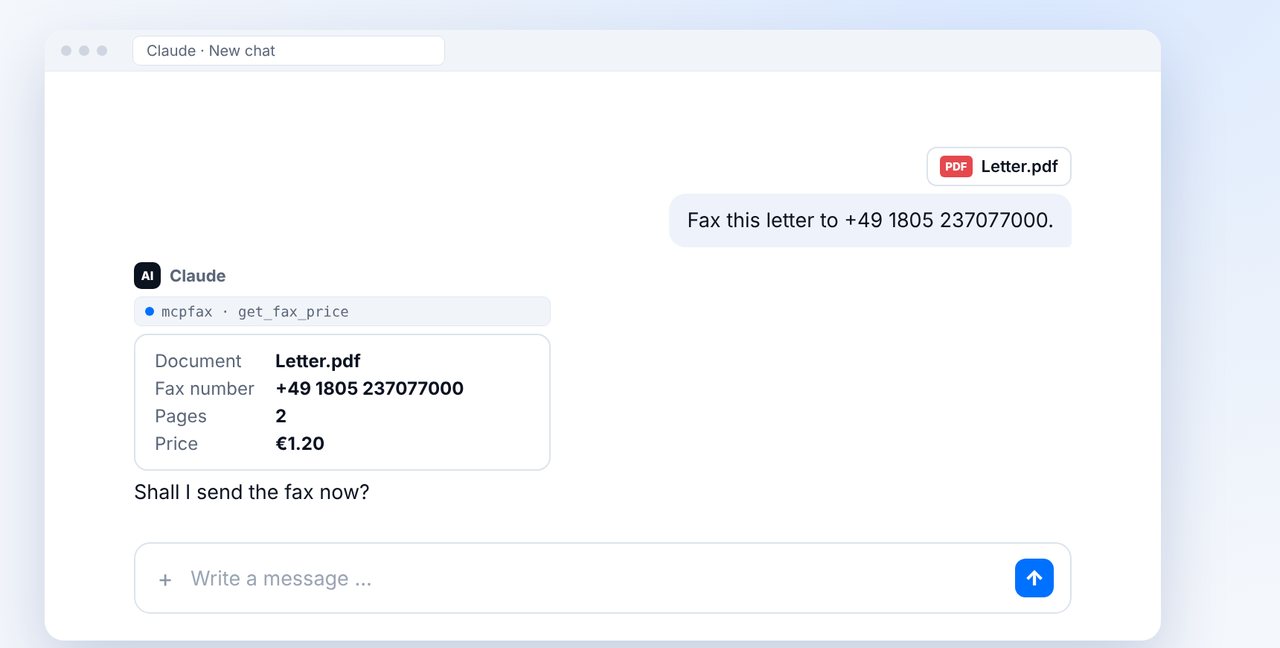
Attach the document (PDF, Word, JPG, PNG or TXT) and give the fax number. Claude shows the document, pages and price and asks whether to send it.
-
3 Step 3
Confirm
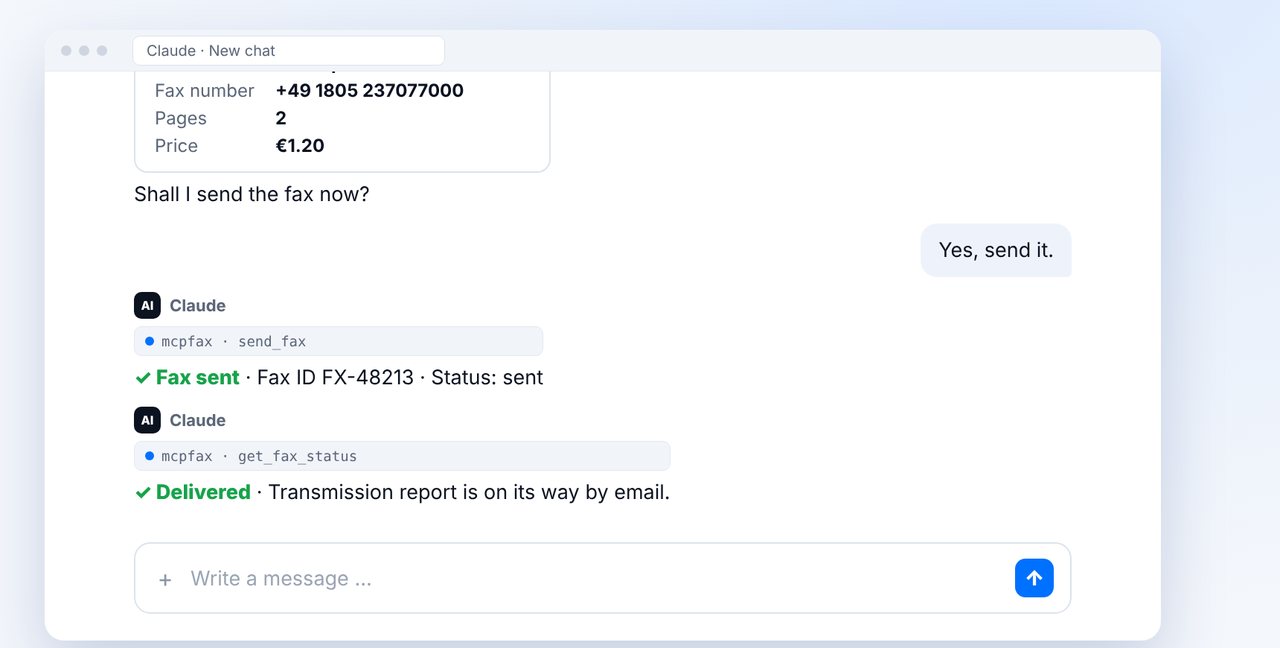
The fax only goes out after your “Yes, send it.” You can ask for the status “delivered” right in the chat.
-
4 Step 4
Or by email
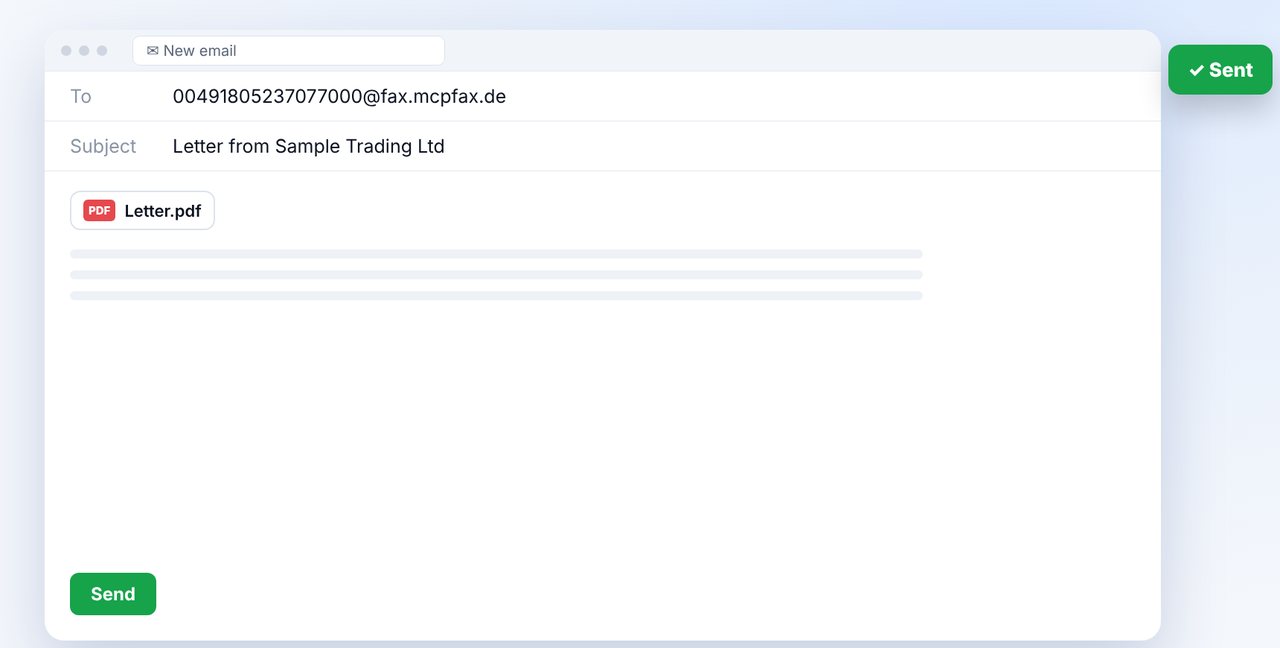
New email to faxnumber@fax.mcpfax.de (with country code, e.g. 00491805237077000@fax.mcpfax.de), attach the document, send. The sender address must be approved in your customer area.
The pictures are a simplified illustration. Menu names may differ slightly depending on the version.
Video transcript
Yes, you can easily send a fax online: hand over the document, give the fax number, check the price and confirm. You don't need a fax machine for any of it. Let me show you how it works. With mcpfax you have three ways: right on our website, where you don't even need an account, in an AI chat with Claude, or by email from your usual program. All you need is an internet connection. In the chat, you attach the document and give the fax number. Before anything is sent, Claude shows you the page count and the price, here one euro twenty for two pages. Nothing is sent until you explicitly confirm. After that, you can simply ask whether the fax has arrived. Delivered means it was transmitted completely to the receiving machine. The second way is a completely normal email. Before the at sign goes the fax number with its country code, followed by our fax address, as shown on screen. Attach the document, hit send, and you're done. Whichever way you choose, after every fax you receive a transmission report as a PDF, showing the recipient, the cost and the result. You'll find the link to mcpfax in the description. Subscribe to the channel: in the next video we look at what a fax really costs.

Ready for your first fax?
Create your account in a minute, top up your balance and get started. No subscription, no monthly fee.
Create free accountFrequently asked questions
How can I fax over the internet?
You hand in the document online – on mcpfax.de, in a Claude chat or by email. mcpfax dials the fax number over the phone network and transmits the pages. The recipient gets a completely normal fax, and you get the transmission report as a PDF.
What's the difference between an online fax and a fax machine?
For the recipient, none: they get a normal fax. For you, there's no machine, phone line or paper – you fax from a file or a photo.
Do I need a fax machine or a phone line?
No. All you need is internet. On mcpfax.de you can even fax without an account and pay just for that one fax.
How much does an online fax cost?
In the EU, Switzerland, the UK, the US and other countries €1.00 for the first page and €0.20 per additional page. Other countries cost double; the price is shown beforehand.
Can I receive faxes with mcpfax?
No. mcpfax only sends; there is no fax number of your own for receiving.
How do I know the fax arrived?
From the status “delivered” and the transmission report you get as a PDF by email. It proves the transmission, not that the fax was read.