
How do I send a fax to the IRS?
Take the fax number from the letter or notice you received from the IRS, HMRC or your tax office, and send the document with mcpfax from the chat or by email. Check first whether the office still accepts faxes; the transmission report proves the transmission.
Step by step
-
1 Step 1
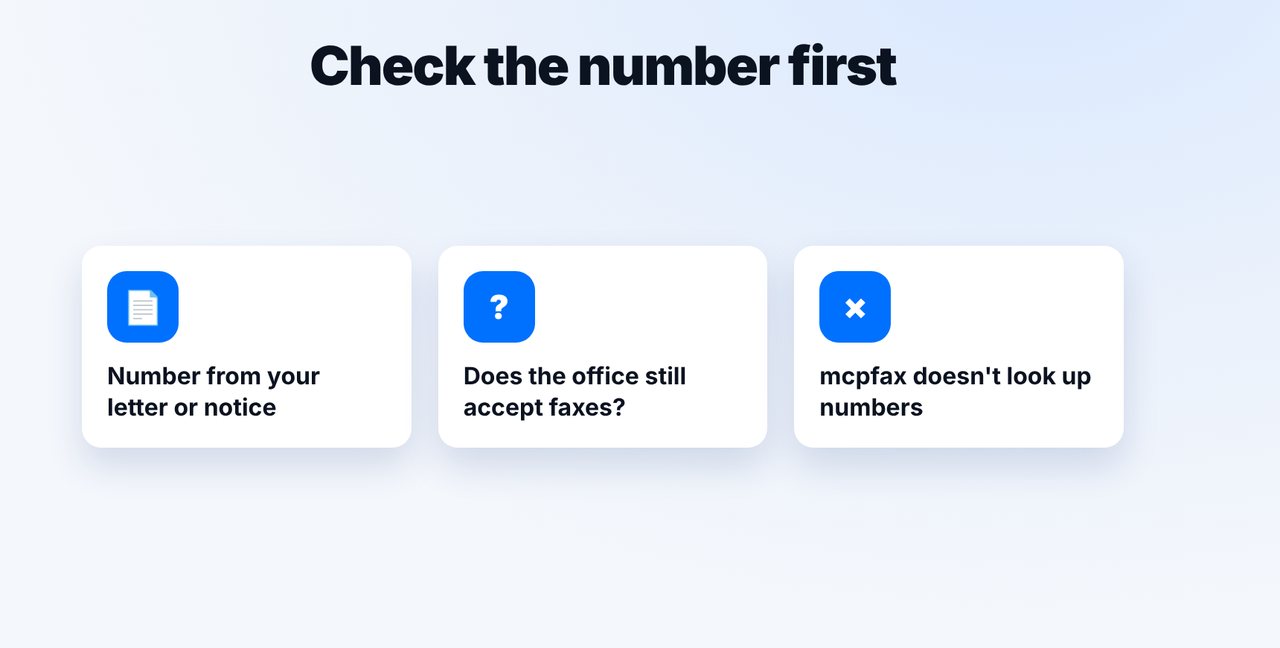
Check the fax number
Take the number from the letter or notice from your tax authority. Some offices no longer accept faxes – check this first.
-
2 Step 2
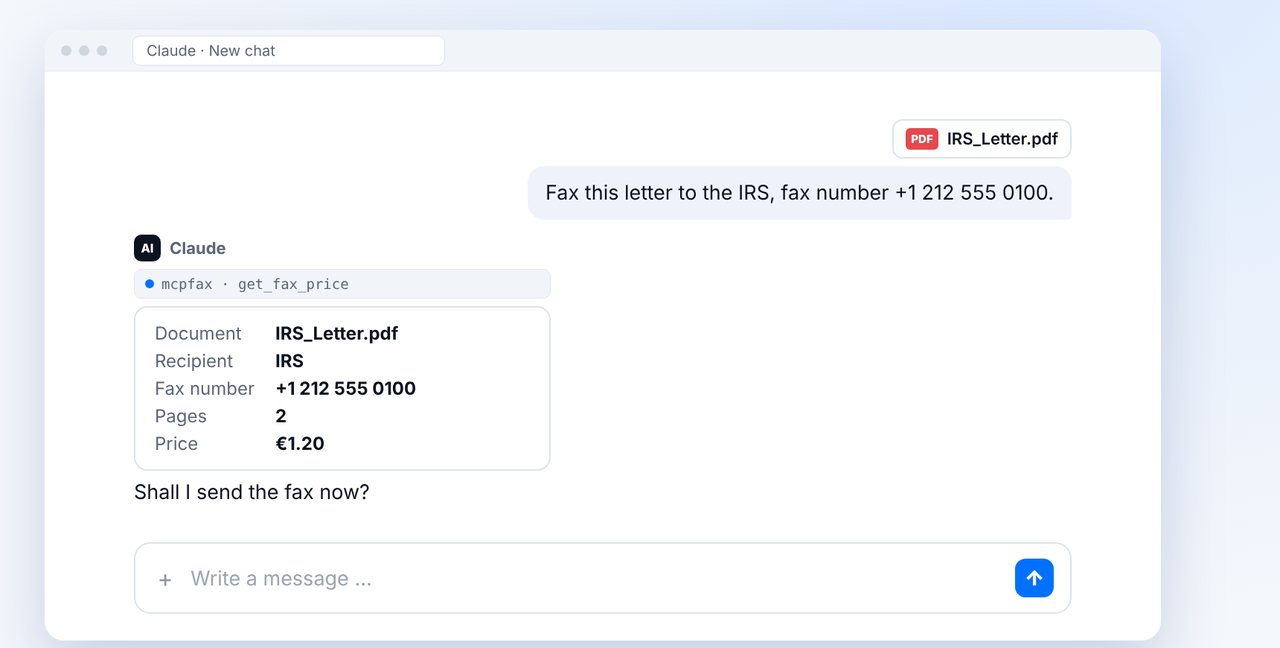
Send the document in the chat
Attach the letter in your chat with Claude, give the fax number and check the recipient, pages and price.
-
3 Step 3
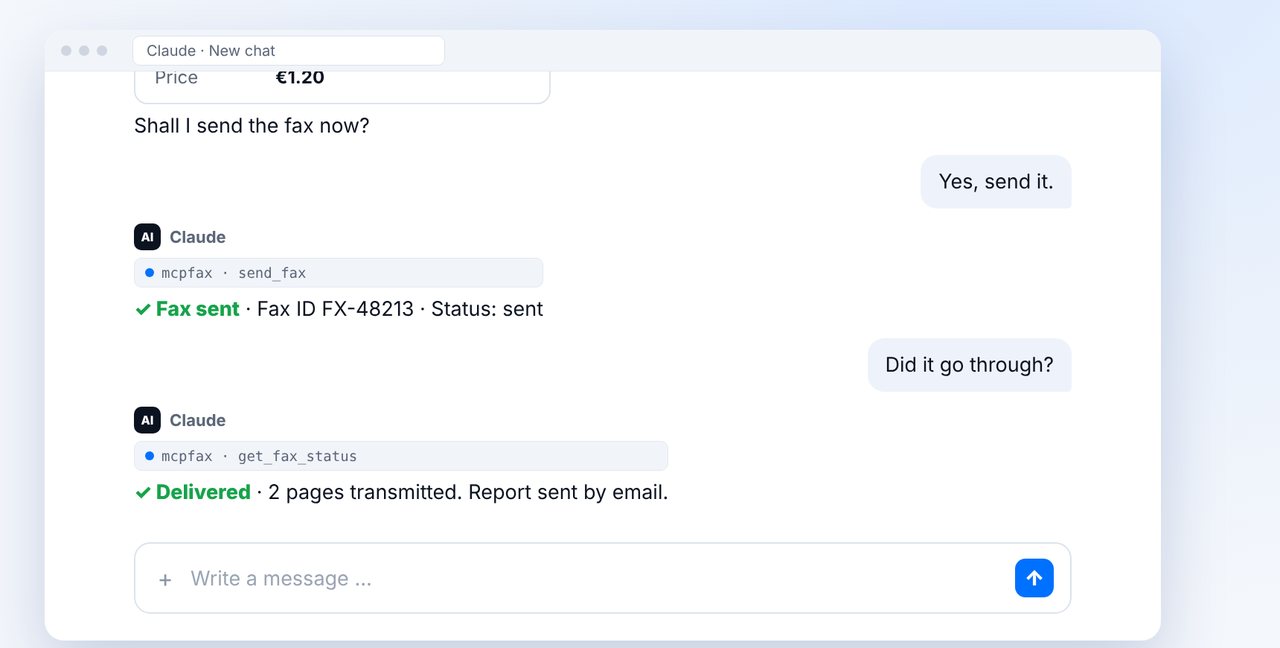
Confirm and check delivery
After your “Yes”, the fax is sent. Ask whether it has been delivered.
-
4 Step 4
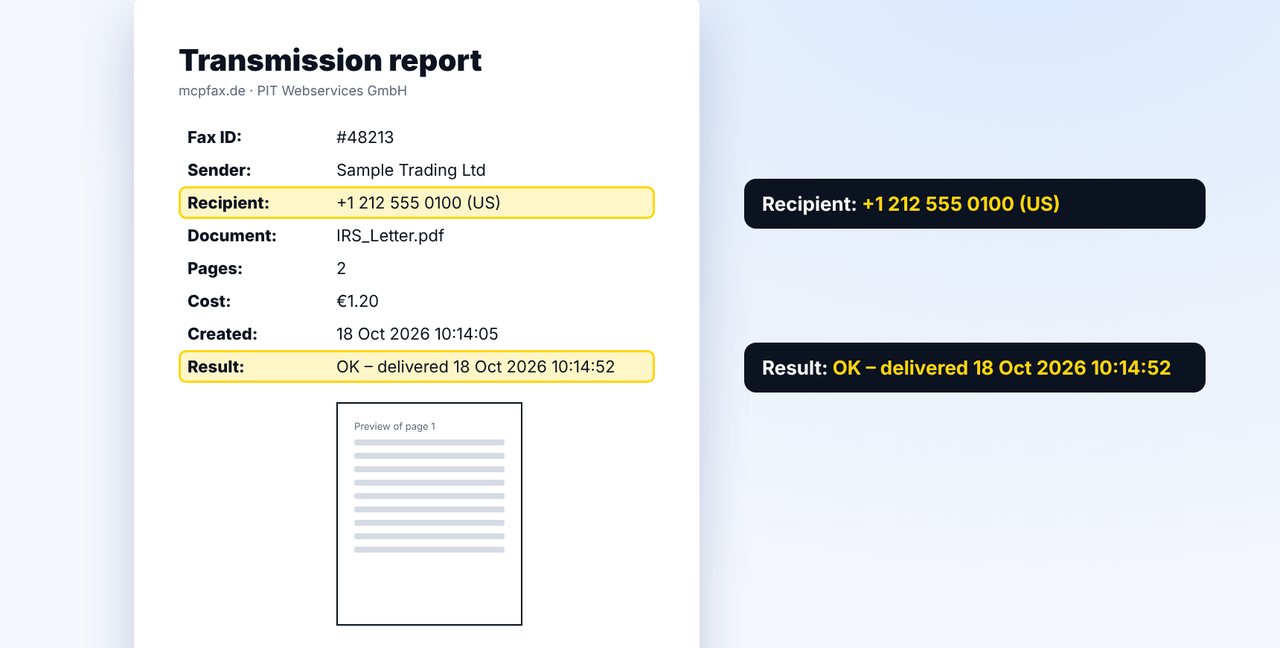
Keep the transmission report
File the transmission report with your tax records. It proves transmission, not that the fax was read.
The pictures are a simplified illustration. Menu names may differ slightly depending on the version.
Video transcript
Yes, you can send a fax to the IRS, to HMRC or to any other tax office without a fax machine, right from the chat. The most important thing is the right fax number. Let me show you how. Take the fax number from the letter or notice you received from the tax office. Some authorities no longer accept faxes, so check that first. mcpfax does not look up numbers on the internet. Attach your letter in the chat and give the number. Claude shows the recipient, the pages and the price, here two pages for one euro twenty. After your yes, the fax is sent. Then quickly ask whether it has been delivered. Delivered means it was transmitted in full to the tax office's fax machine. Keep the transmission report with your tax records. It shows the recipient number, the time and the result, but not whether the letter was read. This is not legal advice. You'll find the link to mcpfax in the description. Subscribe to the channel for more guides all about faxing.

Ready for your first fax?
Create your account in a minute, top up your balance and get started. No subscription, no monthly fee.
Create free accountFrequently asked questions
Where do I get the IRS fax number?
From the letter or notice you received. mcpfax doesn't look up numbers on the internet and never guesses a number.
Does every tax office accept faxes?
Not necessarily. Some authorities no longer accept faxes – check first, for example in your letter or on the office's website.
Is the transmission report enough proof for a deadline?
It proves transmission to the receiving device with date and time. Whether that's enough in your case depends on the circumstances. This is not legal advice.
What should be on the letter?
Put your tax reference number on every page. If you send at mcpfax.de, you can also have a cover page with recipient and subject created automatically.