
How do I fax a note to school or daycare?
Yes, right from your phone: photograph the absence note in the Claude app and say it should go to the school; mcpfax faxes it after you confirm. One page costs €1.00, and saved contacts spare you the typing next time.
Step by step
-
1 Step 1
Photograph the note
Sign the absence note or form and photograph it in the Claude app in good light.
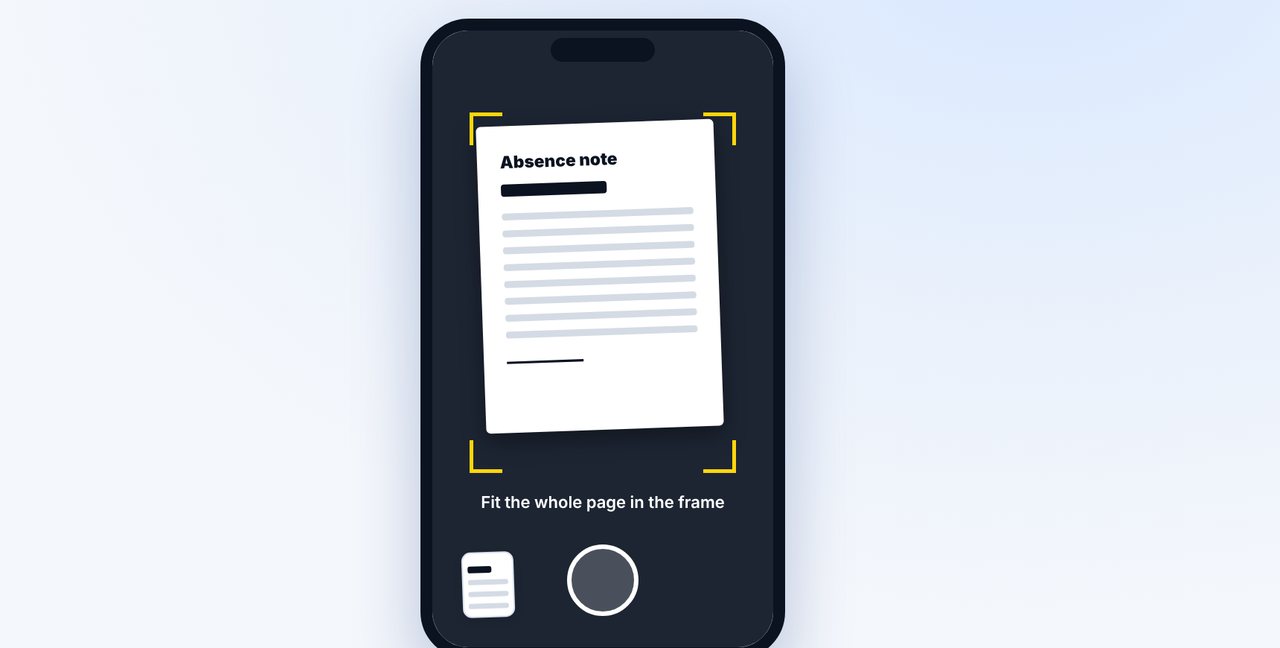
-
2 Step 2
Write “to the school”
If the school is saved as a contact, the name is enough. The first time, give the fax number from the school's parent letter and have it saved.
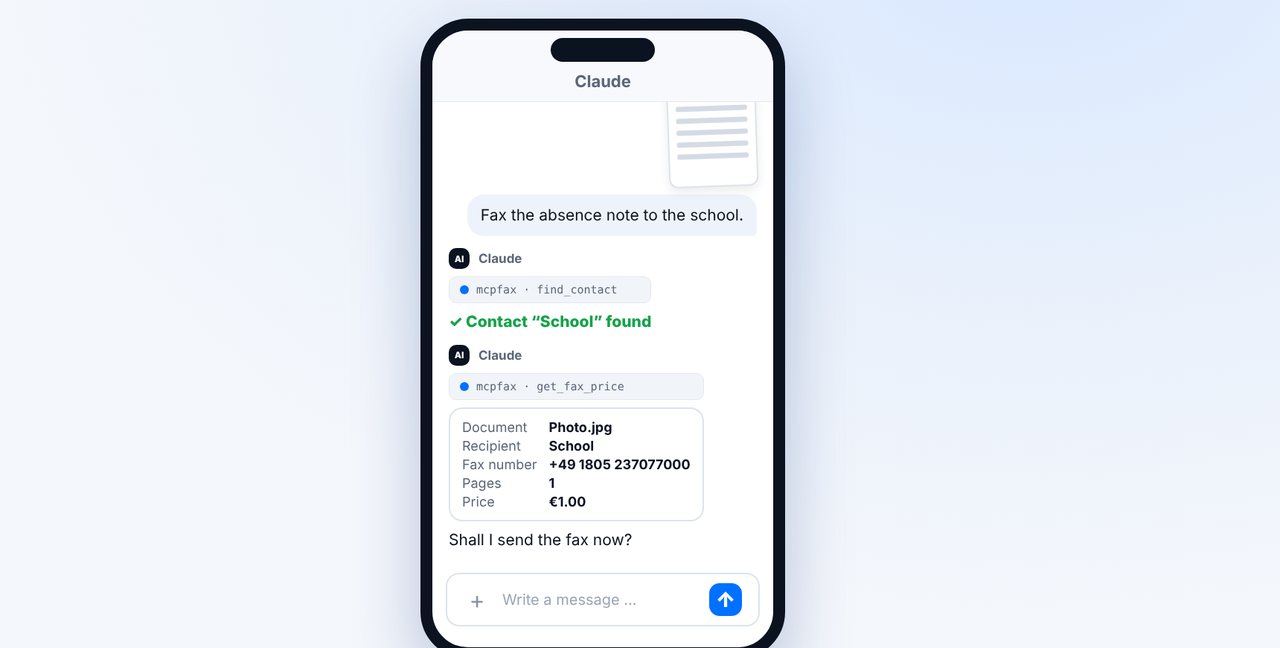
-
3 Step 3
Confirm – done
Check the pages and price and reply “Yes, send it.”. The status shows when the fax has been delivered.
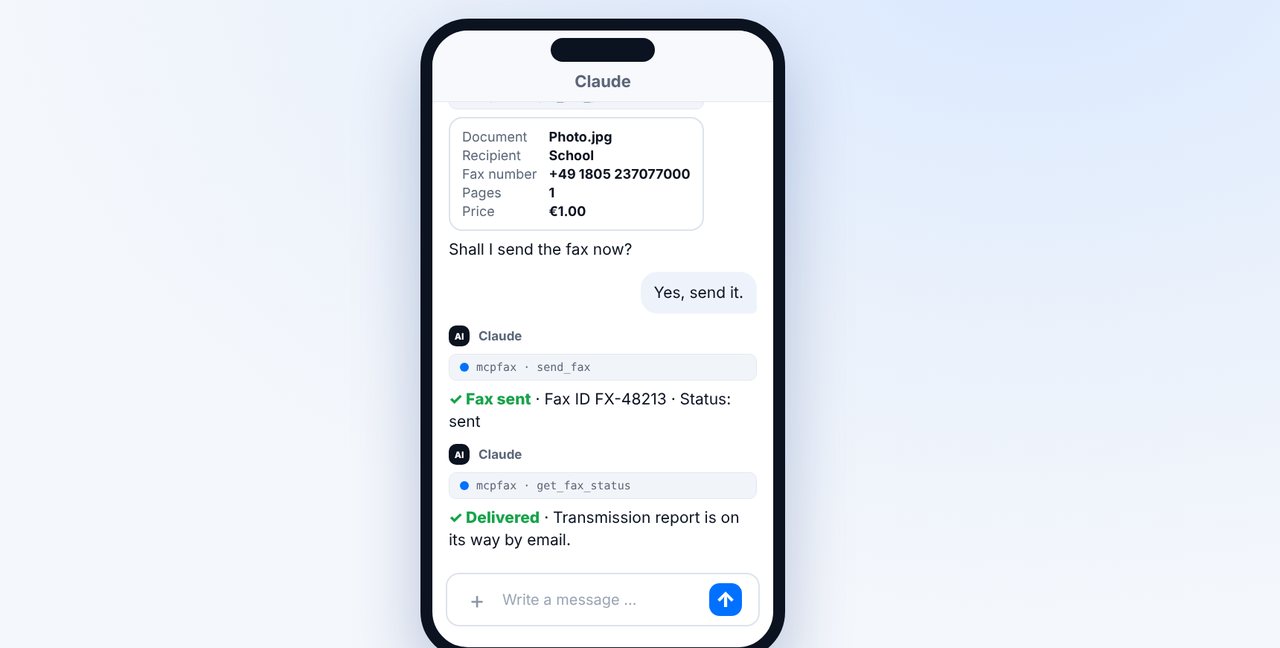
The pictures are a simplified illustration. Menu names may differ slightly depending on the version.
Video transcript
Your child is sick, and the school wants a written absence note, preferably by fax? No problem, you can take care of it from your phone in about a minute. Let me show you how. Sign the absence note and take a photo of it in the Claude app. To do this, tap the plus in a new chat. Make sure the light is good and the whole page is visible. If you've already saved the school as a contact, just write: to the school. Claude finds the number and shows you the price; one page costs one euro. Reply with yes, and the fax is on its way. Shortly afterwards you see the status delivered, and the transmission report arrives by email. The first time, give the fax number from the parent letter and have it saved as a contact, separately for school and daycare. Whether fax is accepted is up to each school. And for new customers, the first fax is free. You'll find the link to mcpfax in the description. Subscribe to the channel for more everyday tips about faxing.

Ready for your first fax?
Create your account in a minute, top up your balance and get started. No subscription, no monthly fee.
Create free accountFrequently asked questions
Does the school accept absence notes by fax?
Each school decides for itself. The parent letter or the school website usually says which channels are accepted.
Does the note need a signature?
If the school requires a signature, sign before you take the photo. The fax transmits it as an image.
Can I send it from my computer too?
Yes, in Claude on your computer or by email to faxnumber@fax.mcpfax.de.