
How do I fax a PDF?
Attach the PDF in your chat with Claude or email it to faxnumber@fax.mcpfax.de. The file can be up to 15 MB; every page is counted, and in zone 1 the first page costs €1.00 and each additional page €0.20.
Step by step
-
1 Step 1
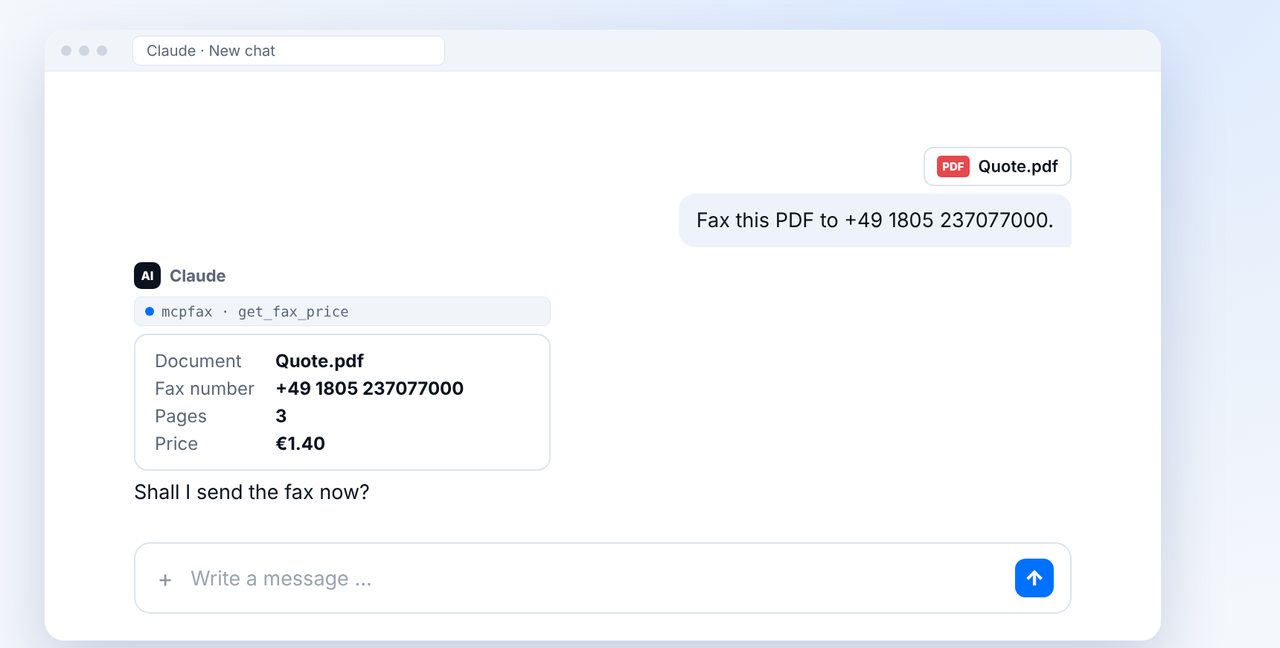
Attach the PDF in the chat
Drag the PDF into your chat with Claude and give the fax number with the country code.
-
2 Step 2
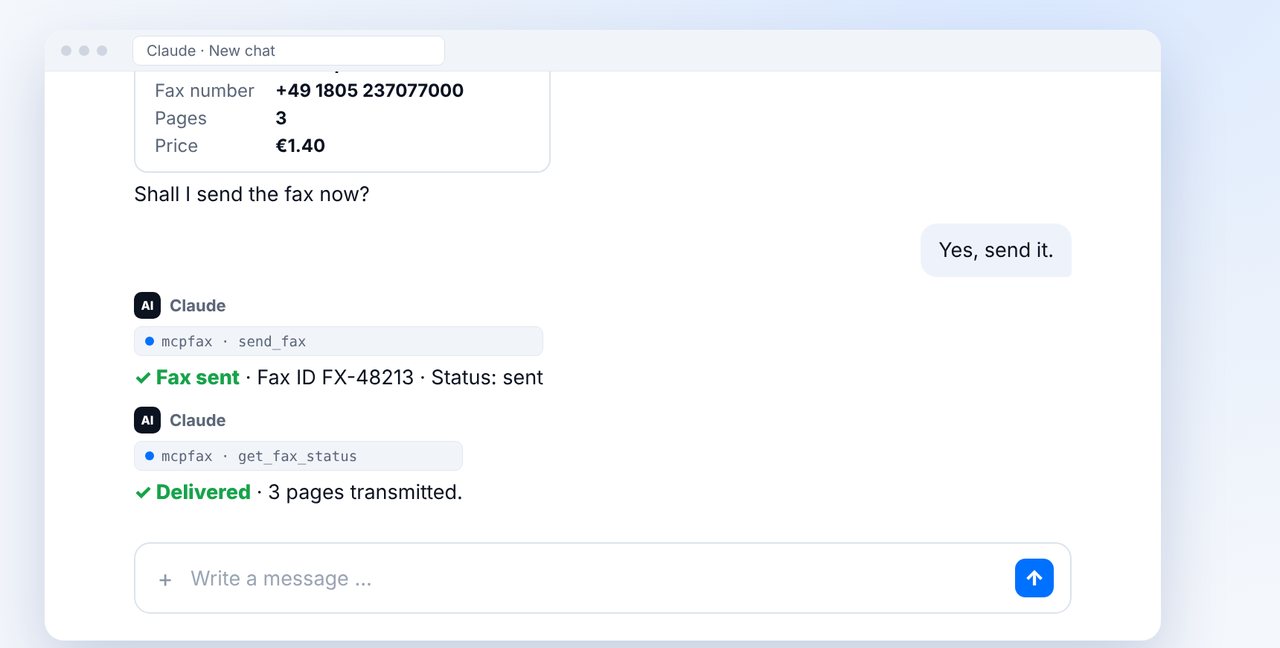
Check pages and price, confirm
Claude counts the pages and shows the price. After your “Yes”, the PDF is sent.
-
3 Step 3
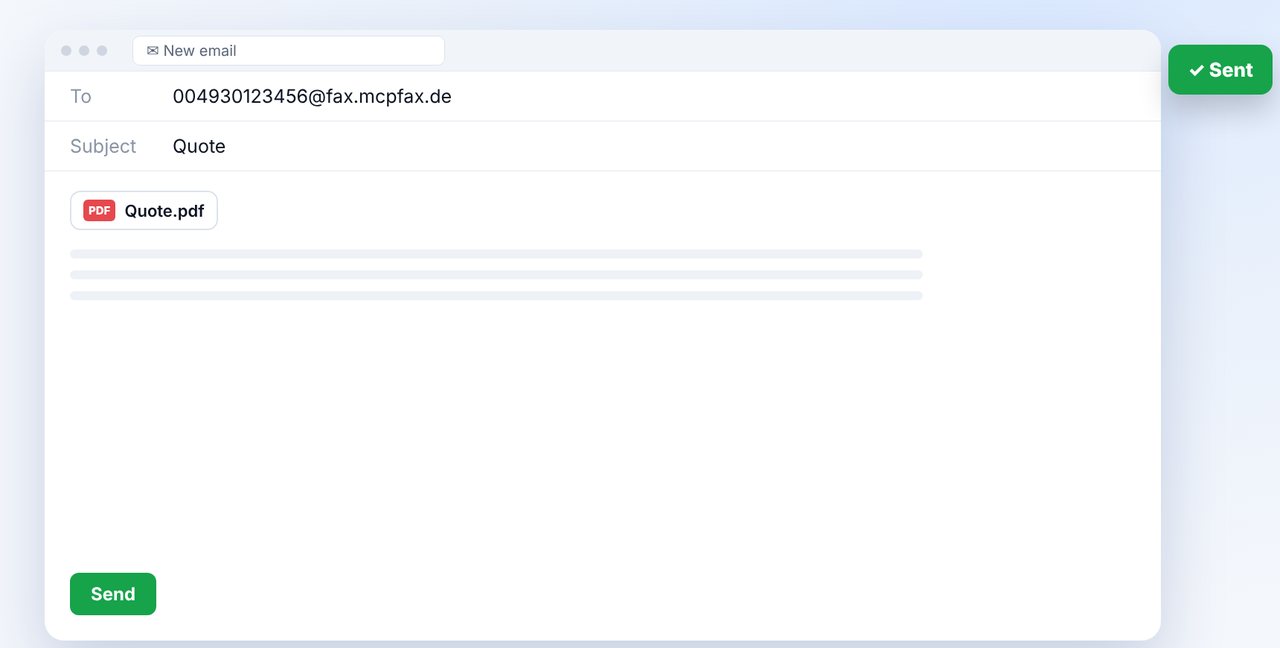
Alternative: PDF by email
Send an email with the PDF attached to faxnumber@fax.mcpfax.de. Your sender address must be allowed in your customer area.
-
4 Step 4
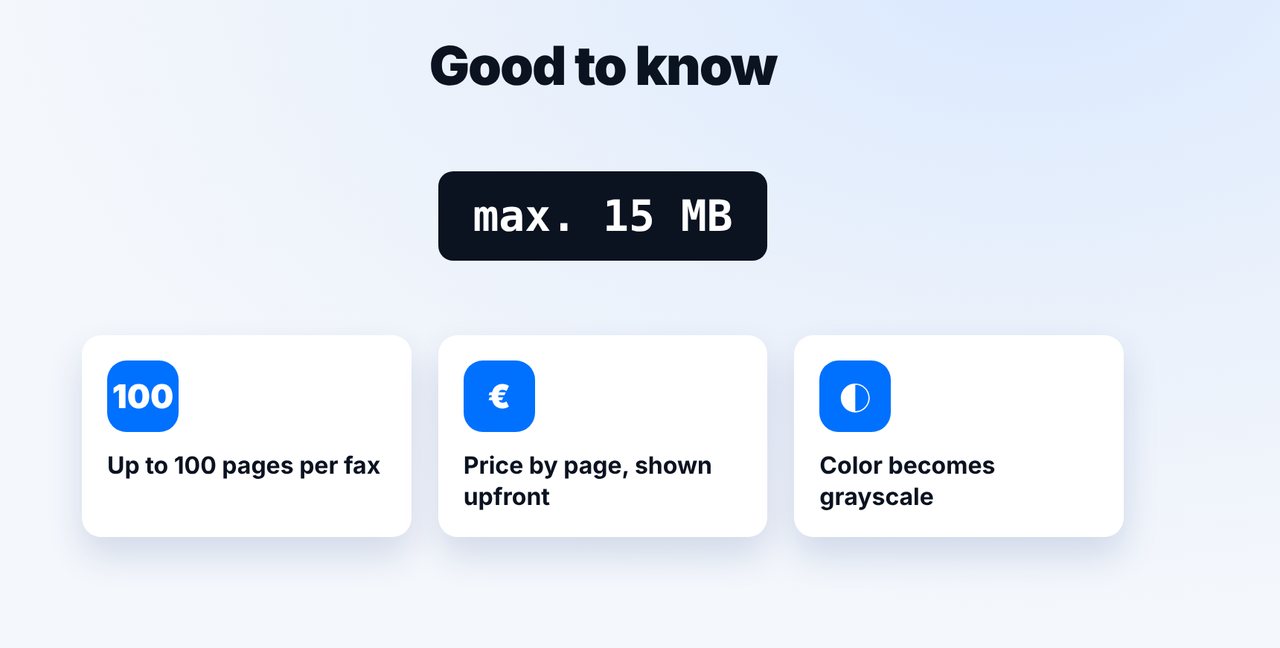
Mind the limits
Up to 15 MB per file and 100 pages per fax. Colors are transmitted as grayscale.
The pictures are a simplified illustration. Menu names may differ slightly depending on the version.
Video transcript
The easiest way to fax a PDF is to attach it in your chat with Claude, or to an email. You don't need a fax machine for any of this. Let me show you both ways, one after the other. Option one: drag the PDF into the chat and give the fax number. Claude counts the pages and shows you the price first, here three pages for one euro forty. Once you confirm, the PDF is sent, with every page as its own fax page. Color pages arrive in grayscale, because a fax is always black and white. Option two: send an email to the fax number combined with our fax address, just like on screen, and attach the PDF. For this, your sender address needs to be allowed in your account. Important: a single file can be up to fifteen megabytes, and a fax can have up to one hundred pages. You pay by the number of pages, and you always see the price before sending. You'll find the link to mcpfax in the description. Subscribe to the channel for more guides all about faxing.

Ready for your first fax?
Create your account in a minute, top up your balance and get started. No subscription, no monthly fee.
Create free accountFrequently asked questions
How many pages can the PDF have?
Up to 100 pages per fax. You pay by page count, and the price is shown beforehand.
Will a color PDF arrive in color?
No. Fax is black and white, so colors become grayscale. Make sure the contrast is easy to read.
Can I send several PDFs in one fax?
By email, yes: up to 10 attachments, up to 15 MB in total, are combined into one fax.
Does it work without chat or email?
Yes. Upload the PDF directly in your browser at mcpfax.de – even without an account, with an automatic cover page if you like.